Under-Desk Storage: 7 Proven Ways to Reclaim Floor Space
💡 Affiliate Disclosure: PetchCrea is reader-supported. When you buy through links on our site, we may earn an affiliate commission at no additional cost to you. As an Amazon Associate, I earn from qualifying purchases. We only recommend products that genuinely help you optimize and organize your space.
Under-desk storage clears peripheral equipment, documents, and supplies off your primary work surface without encroaching on knee clearance or legroom. The most effective option depends directly on your desk frame style, whether you sit or stand, and whether your lease permits drilling into desktop undersides. This guide walks through exact clearance checks, drill versus clamp installations, and specific storage systems suited for compact rooms and standard home office setups.
Quick Answer: Matching Storage to Your Desk
The right storage under a desk must preserve ergonomic leg freedom while utilizing dead space along the sides, back panel, or desktop underside. For solid wood or thick particleboard desktops where drilling is allowed, screw-mounted slide-out drawers store everyday flat items directly under the surface. For rented desks, glass tops, or standing desks with frame crossbars, clamp-on caddies, hanging fabric shelves, or slim rolling pedestal units preserve the structure while keeping storage portable and non-damaging.
Measure Before You Buy: The Under-Desk Clearance Checklist
Before purchasing any under-desk organizers, take precise measurements of the void beneath your desk. Small oversights—like forgetting the depth of a desk crossbar or the turning radius of an office chair—often lead to bruised knees or unusable storage.
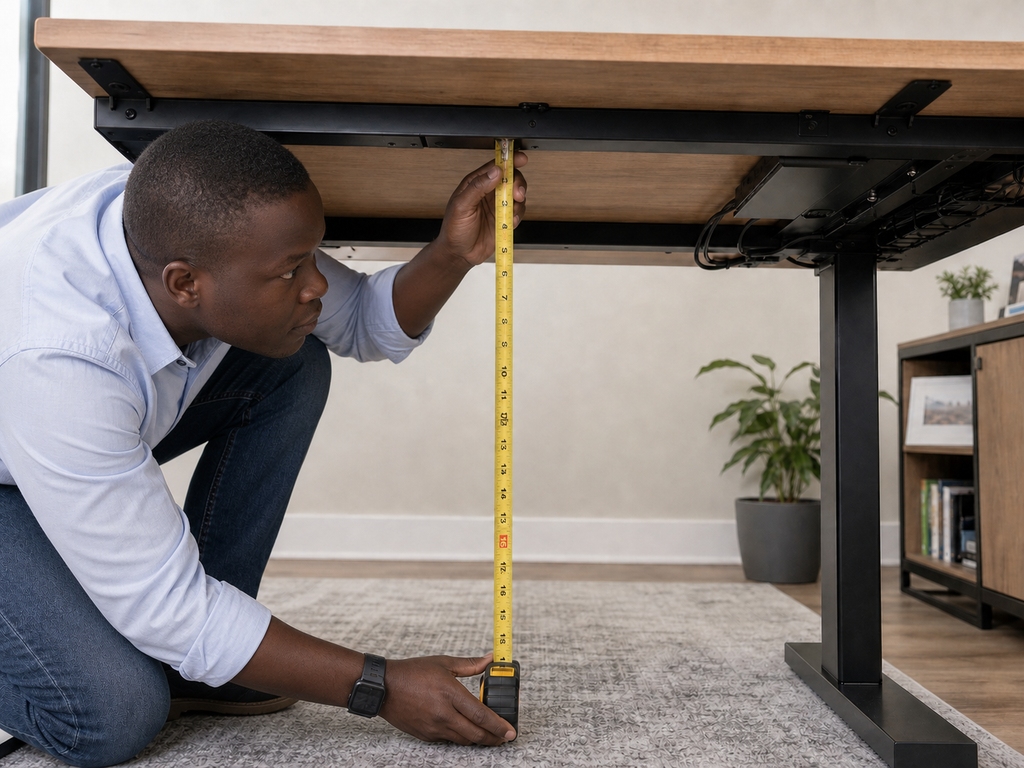
- Vertical Thigh Clearance: Sit in your normal posture with your office chair adjusted so your feet rest flat on the floor. Measure from the top of your thighs to the underside of the desktop. Any hanging drawer or undermount tray must be shallower than this distance to prevent your legs from hitting the hardware every time you pull in.
- Knee and Shin Depth: Measure how far forward your knees and shins extend while seated comfortably. Reserve this entire central envelope exclusively for legroom. Storage should occupy only the rear perimeter or the lateral sides of the knee well.
- Usable Underside Width and Depth: Crawl beneath the desk and examine the bottom surface. Measure the open, flat space between the outer legs, taking note of structural crossbars, motor boxes on height-adjustable frames, and reinforcement ribs. These structural elements drastically reduce the flat area available for direct-mount tracks.
- Desktop Thickness and Material: Measure desktop thickness with a caliper or ruler. Most screw-in drawers require wood or laminate at least 0.75 inches (19 mm) thick so screws do not punch through the top finish. If your desk has a honeycomb paper interior, tempered glass, or hollow-core build, avoid screw-mounting entirely.
- Base-to-Floor Height: For freestanding rolling carts or floor organizers, measure the exact distance from the floor to the lowest obstruction beneath your desk (such as the support apron or control boxes). Verify that any cart leaves at least 1 to 2 inches of margin for effortless pull-out access.
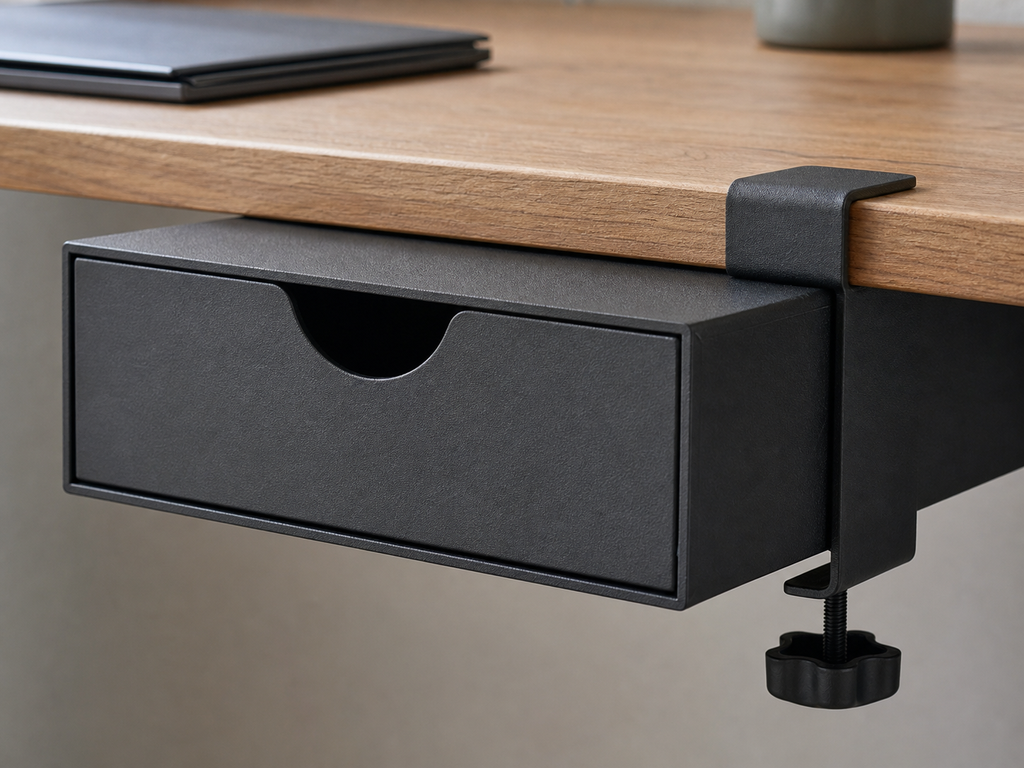
Check the clamp’s supported desktop thickness, available overhang, and the drawer’s total drop below the desk.

- 360° Swivel Design: This under desk organizer features a smooth 360° rotation, allowing easy access or hidden storage wh…
- Clamp-On Installation: Designed as a clamp on desk organizer, it installs securely without drilling or damage; the stron…
- Sturdy Metal Build: Made of durable metal mesh, this desk drawer organizer provides stable support for daily items; it w…
Choose the Right Solution for Your Setup
Desk frames vary substantially, meaning a solution designed for a static four-leg table can cause serious issues on an adjustable desk. Review these four standard categories to identify your workspace profile:
1. The Standard Four-Legged Wood or Melamine Desk
These static desks offer the most versatile mounting configurations. Because weight shifts do not trigger balance problems, you can mount fixed storage to the underside or place units flush against the interior legs. However, older designs often feature a decorative or structural perimeter apron (a vertical board beneath the desktop edge) that prevents standard slide-out drawers from mounting flush against the user side.
2. The Height-Adjustable Standing Desk
Sit-stand desks require careful payload and clearance planning. Storage solutions mounted beneath the surface add weight to the motorized lifting mechanism; check the frame’s gross weight rating before adding heavy storage units. Furthermore, center support rails often run horizontally along the underside of the desk, dividing the open space into two narrow front-to-back channels. Floor-standing carts must also account for the desk’s lowest seated height, ensuring the surface does not crush the cart when lowered. If you are refining this kind of environment, reviewing small home office ideas can provide broader layout inspiration for tight footprints.
3. Rented Furniture and Non-Drill Desks
If you rent furnished quarters, work on a borrowed table, or own a glass, metal, or hollow-core top, drill-free installations are essential. Clamp-on solutions, friction brackets, freestanding floor towers, and hanging fabric organizers that suspend from external frame posts provide practical capacity without leaving permanent holes.
4. The Compact or Narrow-Depth Desk (Under 24 Inches Deep)
Desks with shallow depths of 18 to 22 inches leave almost no extra clearance between your knees and the back wall. In these tightly constrained configurations, storage cannot sit directly beneath the user’s seating position. Instead, vertical storage hung along the exterior leg frames, magnetic organizers fastened to steel legs, or narrow rolling carts positioned beside the perimeter are necessary to prevent physical interference.
7 Practical Under-Desk Storage Solutions
1. Undermount Slide-Out Drawers (Screw-Attached)
- The Problem It Solves: Keeps pens, notepads, external drives, and small daily-use items off the desktop while keeping them within arm’s reach.
- When It Is a Good Fit: Works on solid wood, butcher block, plywood, or dense MDF surfaces at least 0.75 inches thick, where there is clear horizontal area devoid of support beams or cables.
- What to Measure: Measure the flat void depth between the front user edge and any under-desk crossbeams. Confirm the total drop (drawer height plus track assembly) is less than the gap between your resting thighs and the desk underside.
- Limitations and Common Mistakes: The most frequent error is installing screws that are too long, puncturing the desktop finish. Another issue is placing the drawer too close to the center, which traps your chair arms or restricts leg movement.
- Practical Setup Tip: Place masking tape on the drill bit matching the safe screw depth to prevent accidental over-drilling into the desktop. Offset the drawer slightly toward your non-dominant hand side if you cross your legs while working.
2. Heavy-Duty Clamp-On Desk Drawers
- The Problem It Solves: Adds an under-desk storage compartment without drilling permanent holes or requiring specialized installation tools.
- When It Is a Good Fit: Ideal for rental apartments, hollow-core honeycomb desks, glass worktops, or users who adjust their desk layouts regularly.
- What to Measure: Check your desktop thickness against the clamp’s minimum and maximum aperture. Verify that the desktop has an overhang (usually 1.5 to 2.5 inches) past the leg frame so the clamp bracket can seat flush.
- Limitations and Common Mistakes: Clamp pads will protrude slightly above the desk surface, which can interfere with desk pads or mouse tracking if placed within your primary forearm zone. Avoid overtightening clamps on glass desks to prevent stress cracking.
- Practical Setup Tip: Affix a small piece of thin neoprene or silicone padding between the clamp face and the top of the desk to avoid scuffs and stop the bracket from sliding over time.
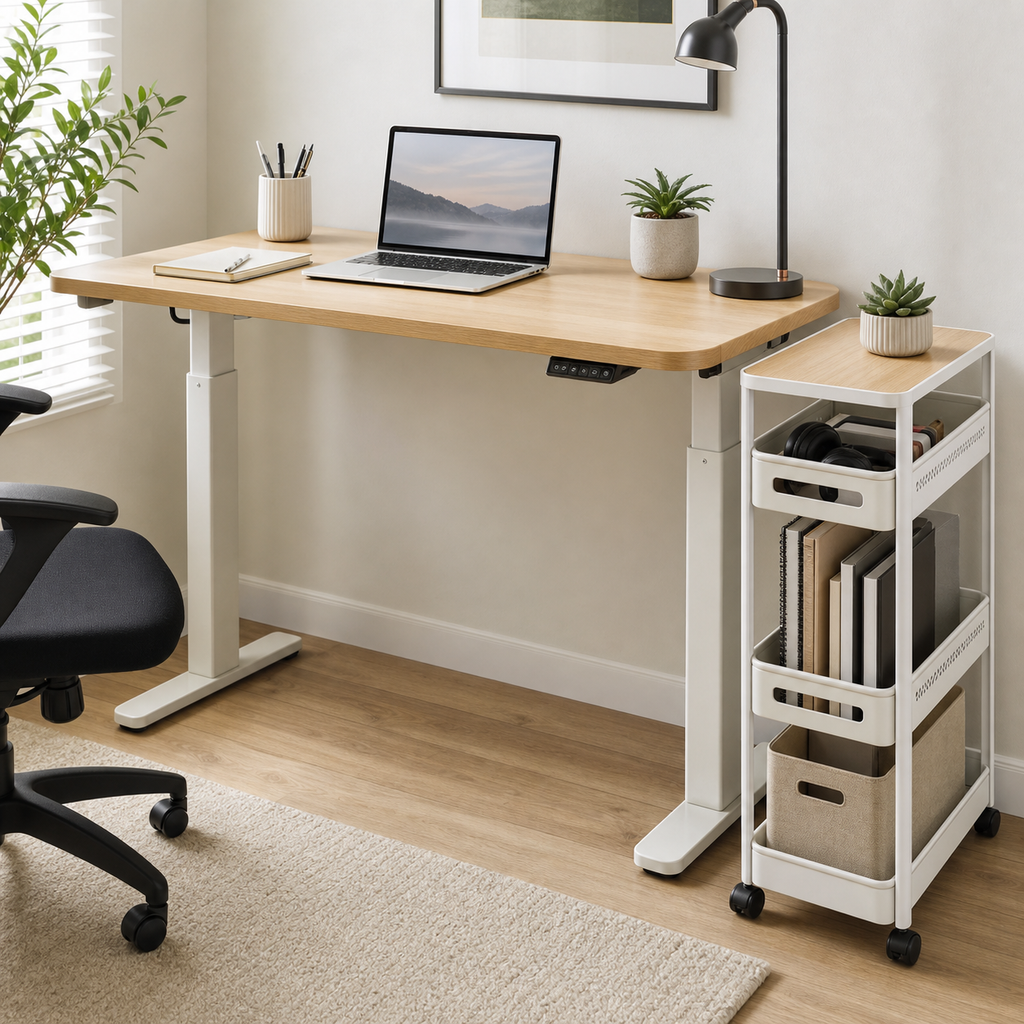
3. Slim Rolling Pedestals and Mobile File Carts
- The Problem It Solves: Accommodates high-volume paperwork, textbooks, file folders, and bulky gear that would exceed the weight rating of an undermount drawer.
- When It Is a Good Fit: Best on wider desks (at least 48 to 60 inches wide) where the leg well allows a dedicated 12-to-15-inch storage zone next to the chair without encroaching on knee space.
- What to Measure: Lower your standing desk to your optimal seated elbow height, then measure floor-to-crossbar clearance. Ensure the cart’s height (including casters) is at least 1.5 inches shorter than that minimum height.
- Limitations and Common Mistakes: On narrow desks (40 inches or less), placing a rolling cart underneath consumes all remaining legroom, forcing you to sit off-center, which can lead to posture and back strain.
- Practical Setup Tip: Choose a model with locking front casters so the unit remains stationary when you pull open heavy lower drawers.
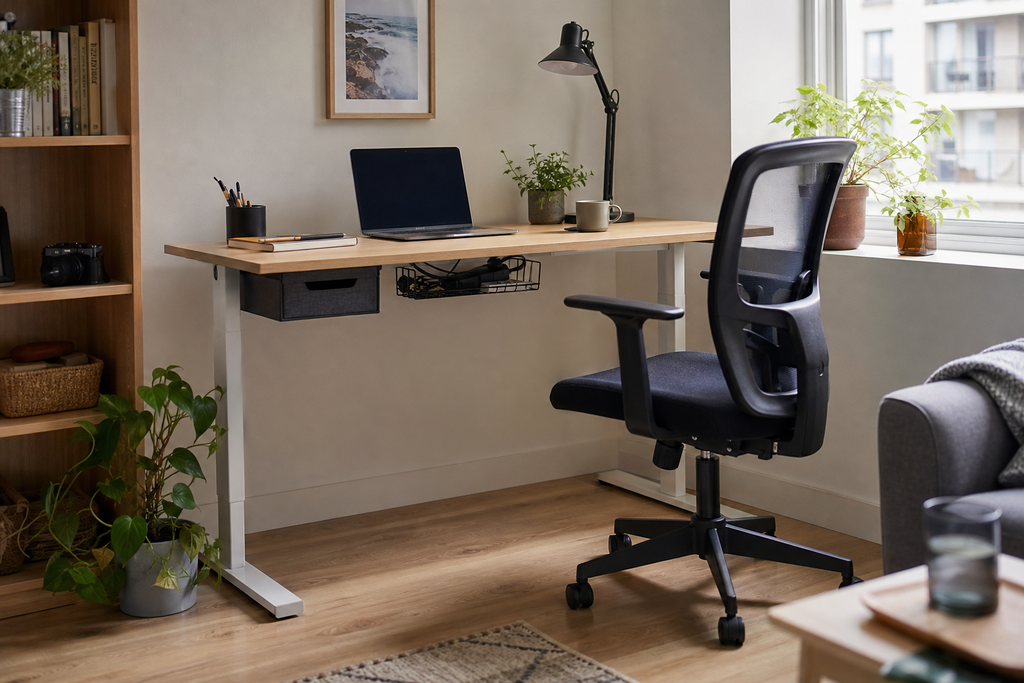
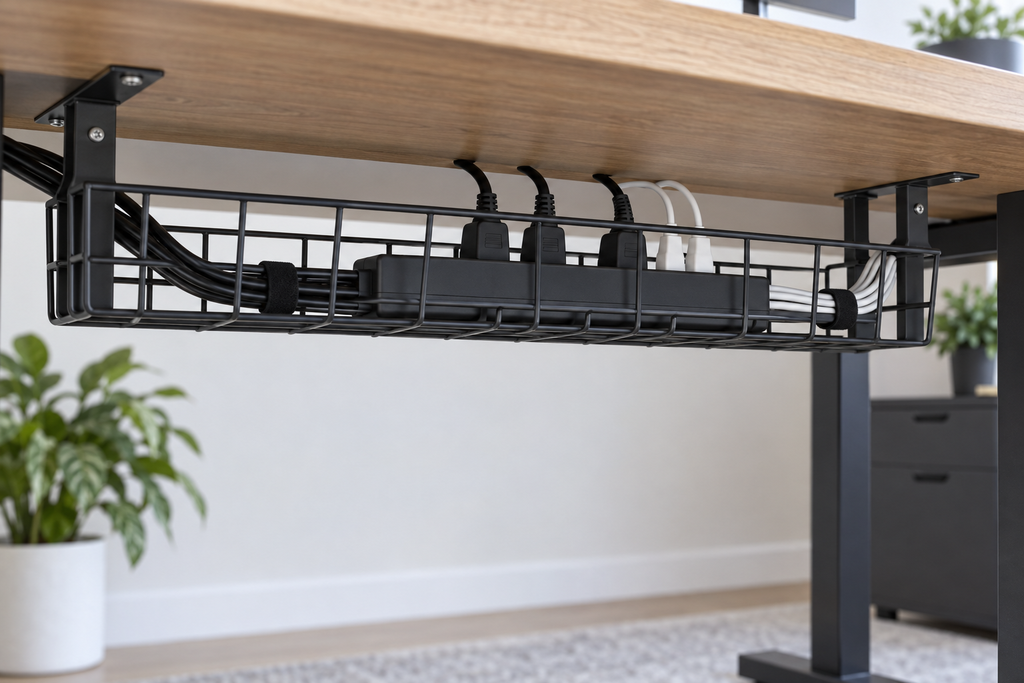
4. Rear Underside Wire Baskets and Pegboards
- The Problem It Solves: Removes power strips, battery packs, backup drives, and excess cord coils from the floor, preserving foot room.
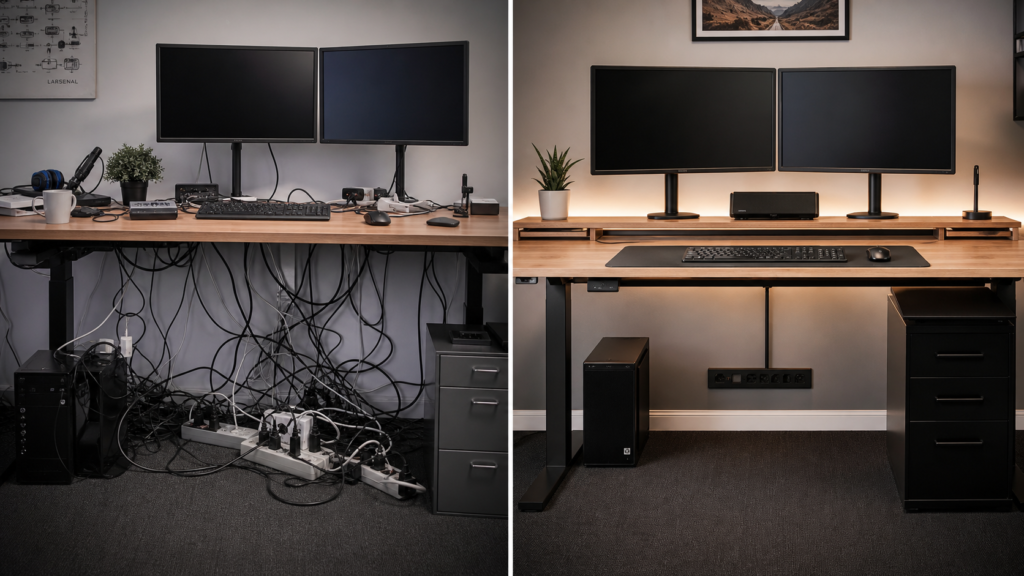
- When It Is a Good Fit: Recommended for any desk setup suffering from foot-tangling cords and floor-level dust collection. Integrating a sturdy under-desk basket alongside systematic desk cable management keeps high-voltage lines completely separated from your feet.
- What to Measure: Measure the distance between the rear of your desk and the wall, checking whether the tray depth interferes with baseboards, wall sockets, or monitor arm clamp brackets.
- Limitations and Common Mistakes: Open wire trays can drop fine items. They are engineered strictly for cables, heavy power bricks, and rigid equipment, not loose office supplies.
- Practical Setup Tip: Fasten heavy surge protectors inside the tray using hook-and-loop straps rather than leaving them loose; this prevents them from shifting when you adjust standing desk heights.
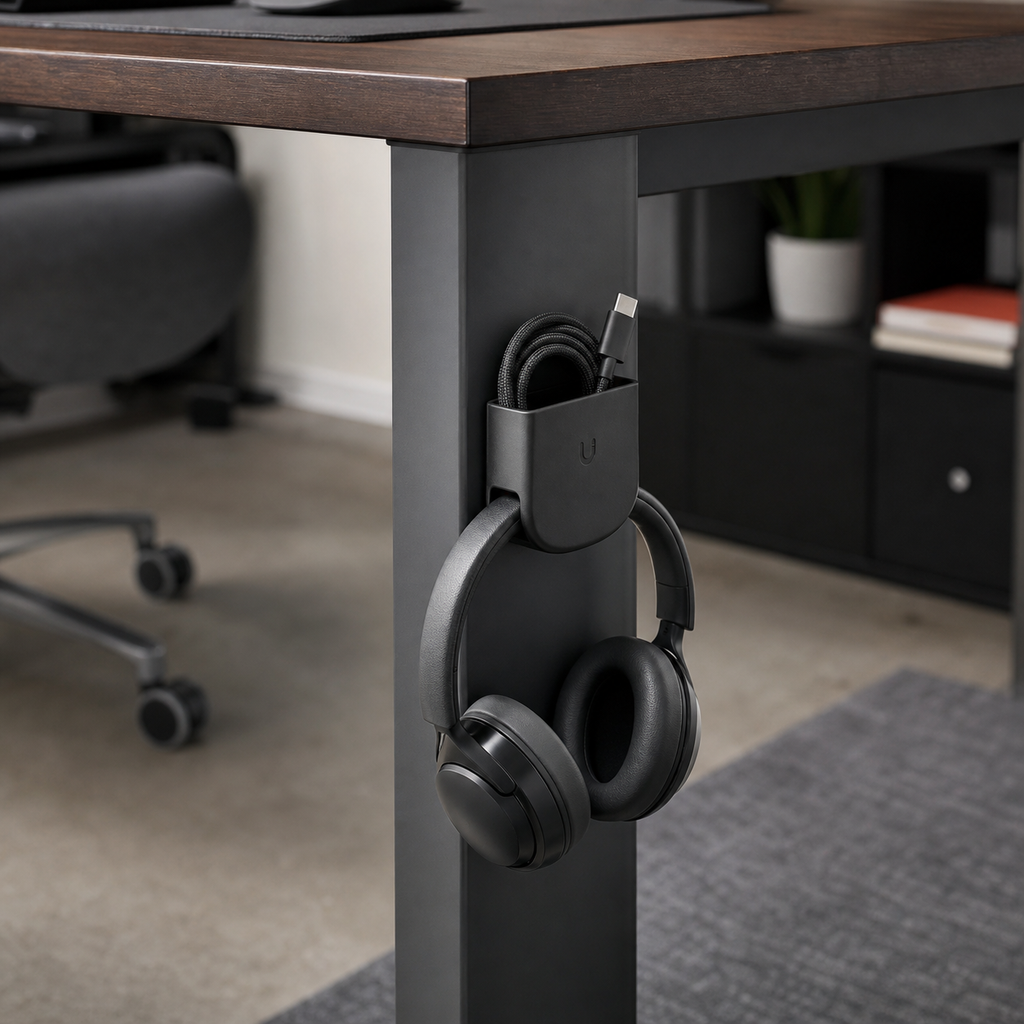
5. Magnetic Storage Pockets and Hooks for Steel Frames
- The Problem It Solves: Converts unutilized steel leg uprights and steel frame rails into accessible storage for headphones, cables, notebooks, and small tools.
- When It Is a Good Fit: Desks with exposed steel tube frames, including many industrial-style standing desk bases and minimalist metal legs.
- What to Measure: Test your desk frame with a household magnet to ensure it is carbon steel rather than non-magnetic aluminum or painted wood. Measure the flat face width of the metal leg tube to confirm the magnet base fits flush.
- Limitations and Common Mistakes: Low-grade magnets can slide down the leg when loaded with weighted items. Avoid placing magnetic storage right next to magnetic-stripe cards or unshielded hard disk drives.
- Practical Setup Tip: Use rubber-coated neodymium magnets. The rubber coating increases mechanical friction to stop downward slippage along smooth powder-coated metal legs.
6. Hanging Fabric and Canvas Organizers
- The Problem It Solves: Offers multi-tiered sorting for notebooks, tablets, and light accessories at a minimal weight penalty.
- When It Is a Good Fit: Light-duty utility desks, craft rooms, and temporary setups where metal or wood cabinetry is impractical.
- What to Measure: Measure the vertical drop from the mounting bracket down to the floor to ensure the lowest pocket does not rest in the dust zone or rub against your calves.
- Limitations and Common Mistakes: Fabric lacks rigid shape retention, causing pockets to bulge outward when loaded with dense items, which reduces lateral knee clearance.
- Practical Setup Tip: Insert a thin sheet of rigid plastic or heavy corrugated cardboard into the bottom of each pocket to maintain its form and prevent internal sag.

- High quality material:XHF Adhesive Cable Clips are manufactured from Strong Adhesive and PA66 nylon
- Widely used: USB Cable, Ethernet Cable, Outdoor String Lights, LED Strip Lights, Tachograph Cable, TV Cable, Desk and un…
- Size: Base 5/8″ x 5/8″, inner diameter of buckle 1/4″ x 2/5″,120pcs
7. Ergonomic Footrest Storage Combos
- The Problem It Solves: Serves a dual ergonomic purpose by supporting neutral posture while using the neglected lower floor boundary for resting stationary tech accessories.
- When It Is a Good Fit: Petite users whose chairs must be raised to match desk height, leaving their feet suspended, or individuals who already need a dedicated footrest.
- What to Measure: Measure the floor area directly under your natural foot placement. Confirm that your feet sit squarely on the angled surface without driving your knees into the desk’s underside.
- Limitations and Common Mistakes: Footrests are easily kicked. Storing open liquid containers, delicate hard drives, or exposed connection ports here invites accidental damage.
- Practical Setup Tip: Use footrest caddies solely for durable items like foot-switch controls, exercise bands, or enclosed, rubber-bumpered equipment.
Comparison of Under-Desk Storage Solutions
| Storage Solution Type | Best Suited For | Clearance / Space to Verify | Installation Complexity | Rental-Friendly? | Primary Limitation |
|---|---|---|---|---|---|
| Screw-In Drawers | Flat supplies, pens, drives, tablets | Under-surface flat depth; thigh-to-desk gap | Moderate (drilling & pilot holes) | No (leaves screw holes) | Incompatible with glass, metal, or hollow tops |
| Clamp-On Drawers | Renters; non-drill desks | Frame overhang (1.5–2.5 in); desk thickness | Easy (hand-tightened clamp) | Yes (100% reversible) | Top brackets remain visible on surface perimeter |
| Slim Mobile Pedestals | Large paper files, bulk supplies | Floor-to-apron height; lateral knee width | Minimal (assembling wheels) | Yes (freestanding) | Consumes significant horizontal floor width |
| Wire Wire/Mesh Baskets | Power bricks, surge protectors, cords | Rear under-edge clearance to wall | Moderate (screws or clamps) | Conditional (depends on mount type) | Cannot hold loose, small stationary supplies |
| Magnetic Leg Organizers | Headphones, cords, notebooks | Leg surface flat width; magnetic attraction | Effortless (magnetic adhesion) | Yes (no tools) | Restricted to magnetic steel leg materials |
| Hanging Fabric Shelves | Tablets, notebooks, soft accessories | Vertical drop length; side leg clearance | Easy (buckles, straps, or clamps) | Yes (removable) | Bulges out when overloaded with weight |
| Footrest Storage Units | Cable loops, pedals, durable items | Floor depth in natural foot-strike zone | None (placed on floor) | Yes (freestanding) | Subject to accidental impacts from feet |
Common Under-Desk Storage Mistakes to Avoid
- Sacrificing the Ergonomic Neutral Zone: The space straight down from your torso and thighs must remain clear. When under-desk storage forces you to sit angled toward your screen, your spine rotates unnaturally, contributing to lower back and hip fatigue.
- Overloading Motorized Lift Mechanisms: Dual-motor and single-motor standing desks have strict payload maximums that include the desktop, monitors, mounts, and accessories. Mounting heavy steel drawer systems and loaded file carts directly to the lifting frame can trigger motor error codes or cause uneven height adjustments.
- Ignoring Drawer Slide Clearances: Many users measure the storage body itself but forget to account for the clearance required by track runners, mounting brackets, or downward-hanging drop tabs. Always verify the overall external bounding box, not just the internal drawer dimensions.
- Failing to Anchor Floating Cables: Placing movable storage drawers or rolling pedestals adjacent to unmanaged cables creates snag risks. If a drawer track catches a loose display line or monitor cable, opening the drawer can pull electronics clean off your desk.
- Neglecting Knee Space in Multi-Functional Layouts: When an office space pulls double duty—such as a workspace tucked inside a bedroom or shared room—it can be tempting to maximize storage beneath the entire width of the table. Careful planning of your small home office ideas layout helps clarify where primary task clearance must take precedence over deep cabinetry.
Step-by-Step Action Plan: Implementing Your Setup Today
- Clear the Space Completely: Remove everything currently placed beneath your desk, including loose cords, boxes, power strips, and footrests. Vacuum the floor area to identify your true baseline space.
- Conduct the Ergonomic Chair Test: Pull your chair up to your standard working position. Lean forward slightly, cross and uncross your legs, and note where your knees, thighs, and feet travel. Take a piece of blue painter’s tape and mark this restricted envelope on the underside of your desk and on the floor. Storage must not cross these tape boundaries.
- Assess Desktop Material and Underside Geometry: Look under the top surface with a flashlight. Is it solid timber, particleboard, glass, or honeycomb paper? Note down existing crossbars, frame brackets, motor housings, and cable runs.
- Choose Your Storage Family: If you have adequate side clearance, select an under-desk drawer (clamp or drill). If side clearance is restricted, choose vertical storage mounted on the frame posts or select a slim rolling cart that rests entirely outside your primary leg arc.
- Install, Load, and Test Range of Motion: Once installed, load the storage system to its realistic everyday capacity. Perform a full range of physical checks: push your chair all the way in, lean back, swivel 45 degrees, and adjust the desk height up and down if using an adjustable frame. Confirm nothing rubs, catches, or knocks against your legs.
Frequently Asked Questions
How much leg clearance do I realistically need under a desk?
Ergonomic guidelines generally recommend maintaining a knee clearance width of at least 20 to 24 inches directly centered on your keyboard, with a vertical clearance of at least 24 to 28 inches from the floor to the desk underside, depending on your height. Measure your own posture: your thighs should remain parallel to the floor with at least 2 to 3 inches of clearance between your leg tops and the lowest desk element.
Can I mount under-desk drawers to an IKEA Linnmon or Lagkapten desk?
These specific budget desktops use a honeycomb paper core wrapped in thin fiberboard. Standard wood screws will pull out of this material under light loads, potentially ruining the desktop. For hollow-core tops, select a clamp-on drawer, a hanging bracket system that grips the rear perimeter frame, or a standalone mobile cart that rests on the floor.
How do I stop a rolling cart from rolling away when I use it?
Check whether the cart wheels include mechanical brake switches on the front casters. If they do not, you can replace the casters with standard locking furniture wheels or place small silicone caster cups underneath the front wheels. Alternatively, place the cart flush against a side wall or frame leg to limit its movement.
Will mounting storage beneath a standing desk make it wobble?
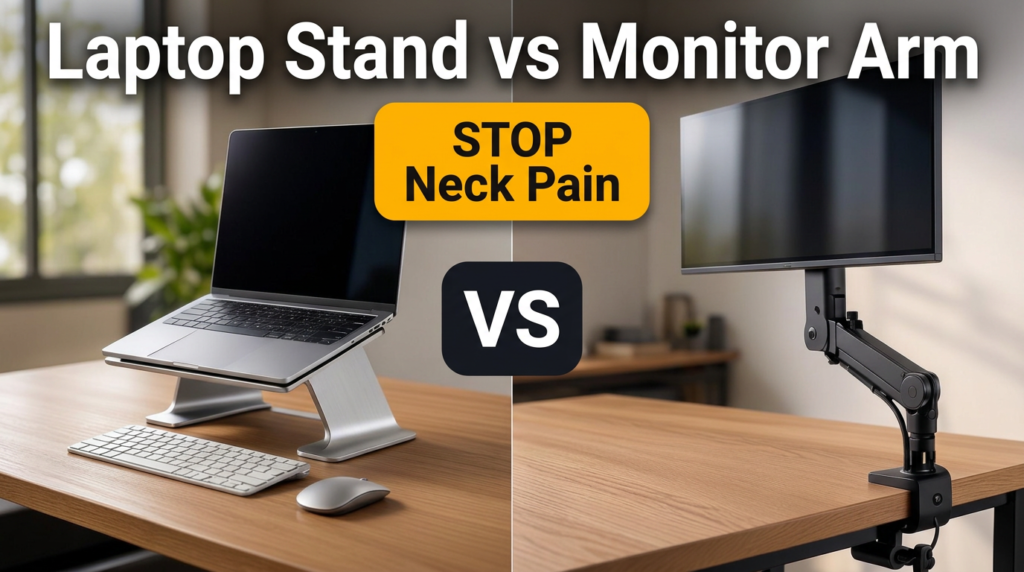
Adding off-center weight to an extended standing desk can alter its balance, which may increase monitor shake while typing. To preserve stability, distribute heavier equipment evenly across the frame. If you notice monitor shake, evaluating your screen positioning with a laptop stand vs monitor stand can help stabilize your sightline and isolate screen wobble from structural desk motion.
Is drill-in under-desk storage safe for real solid wood desks?
Yes, as long as you drill proper pilot holes and use screws with a thread length shorter than the thickness of the wood. Always measure the wood depth and use a drill bit stop collar (or tape wrap) to avoid drilling through the finished surface. Solid wood supports heavy storage securely without stripping when pilot holes match the screw manufacturer’s requirements.
Practical Next Steps
Organized under-desk space relies on maintaining a clear division between legroom and static storage. Begin by sitting comfortably, checking your knee and thigh clearances with a tape measure, and marking off your movement zone. Select a storage style that matches your specific desk top material and leg structure, keep horizontal accessories safely anchored, and preserve your legroom so your workspace stays organized and comfortable throughout the day.